All Tilt365 Assessments are one-year subscription access for free retakes for a year after the original assessment purchase date.
To retake an assessment, go to tilt365.com and click the My Dashboards / Assessments menu in the upper right corner and login with your credentials (email address and password, there's a Forgot Password reset option on the login page if needed...).
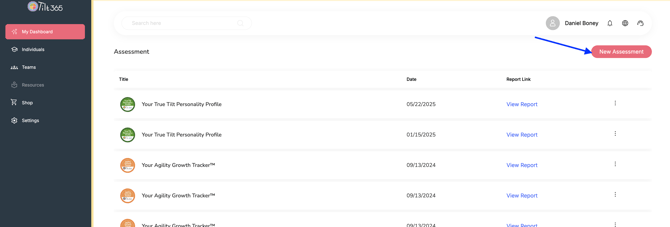
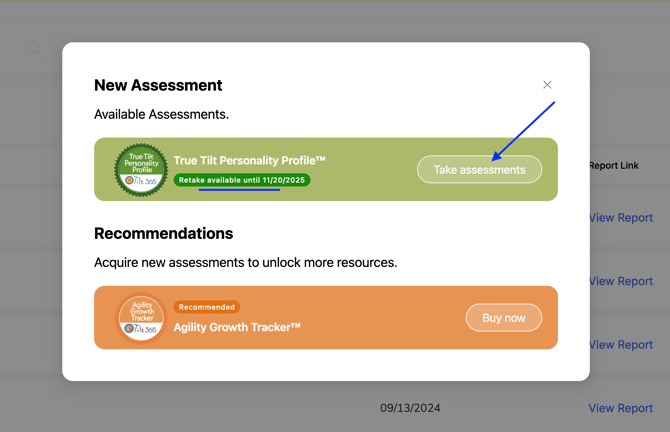
On your Dashboard click the New Assessment button and then the Take Assessment button for the Assessment you wish to take (it will also show the subscription access expiration date...).